

#include errors detected based on information provided by the configurationProvider setting. Squiggles are disabled for this translation unit (C:\Users\Junsu Park\Desktop\Desktop\Coding\Study\Computer_Graphics\Hey_OpenGL\src\common.cpp).
해당 오류 발생.
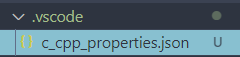
.vscode의 c_cpp_properties.json의 configurationProvider를 수정해보기로 결정.
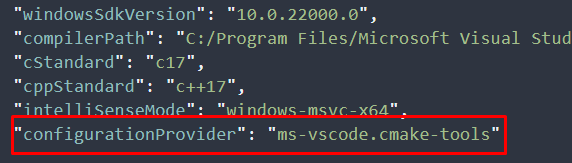
configuration Provier의 ms-vscode.cmake-tools를 ms-vscode.cpptools로 변경.
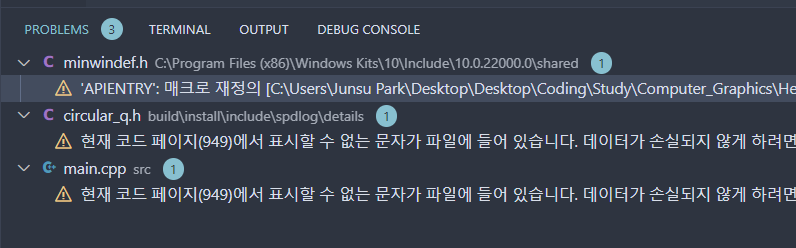
문법에러 검사에 안걸리게 됨.
이 방법말고 ms-vscode.cmake-tools를 그대로 configurationProvider로 사용하게 되면 VScode는 VScode에서 config의 includePath를 읽는 것이 아니라 CMakeLists.txt에 저의된 include 정보를 사용하게 된다.
그래서 ms-vscode.cmake-tools를 그대로 사용하려면 include_directories명령어를 사용하여 헤더를 정의해야한다. 그 뒤에 cmake configure를 하면 변경 사항 반영됨.

https://stackoverflow.com/questions/45583473/include-errors-detected-in-vscode
#include errors detected in vscode
I am using Visual Studio Code in my C++ project. I installed Microsoft C/C++ Extension for VS Code. I got the following error: #include errors detected. Please update your includePath. IntelliSe...
stackoverflow.com
'패키지 설치 및 빌드 시스템 > CMake' 카테고리의 다른 글
| [CMake] .cmake 파일의 사용 (0) | 2025.04.23 |
|---|---|
| [CMake] target_link_directories(), target_link_libraries() (0) | 2025.04.22 |
| [CMake] CMAKE_PREFIX_PATH (0) | 2025.04.17 |
| [CMake] find_package() (0) | 2025.04.16 |
| [CMake] Microsft store에서 제공하는 powerhsell의 HRESULT: 0x80070005 오류 (0) | 2025.04.15 |